
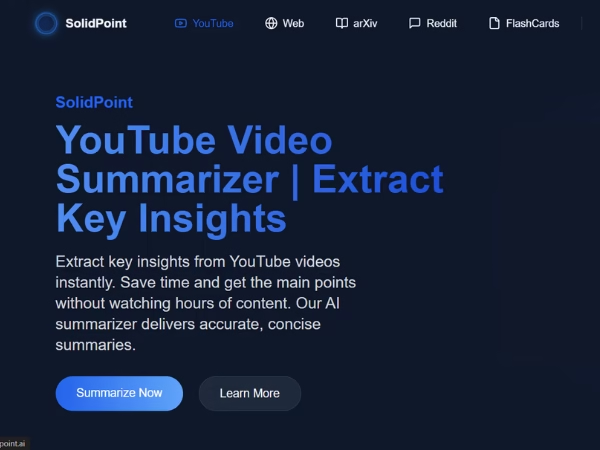

SolidPoint.ai is an AI-powered video summariser that extracts key points, topics, and structured summaries from YouTube videos, websites, Reddit threads, arXiv research papers, and more. It turns long content into short, digestible notes so you don’t have to watch or read everything manually.
There’s a particular frustration many of us share, especially if you’re someone who researches online. You click on a YouTube tutorial, expecting a quick explanation, and then the creator spends five minutes telling you about their day, their cat, their favourite software… anything except what you clicked for.
Sometimes I sit through 20-minute videos only to realize the key information was just two lines.
That’s when I found myself searching for YouTube summarizer tools again, not out of curiosity, but purely out of a need to save time. If you run a blog like I do, where you’re constantly researching new AI tools, tutorials, and frameworks, you know exactly how exhausting that can be.
So when people began searching for solidpoint.ai, I decided to try it myself. No affiliation. No sponsored post. Just a straightforward, honest test using my own videos and screenshots.
What follows is a full narration of how the tool works, what I liked, the parts that surprised me, and the things I wish it did differently.
You should also read this We Tried Ideogram AI and Here’s Why Everyone’s Talking About It
What SolidPoint.ai Claims to Be
SolidPoint.ai calls itself a YouTube Video Summarizer, but that description barely scratches the surface. It also summarises:
- websites
- arXiv papers
- Reddit threads
- research articles
- long blog posts
- and even generates flashcards
But I wanted to see whether its “YouTube summarizer” claim holds up. That’s the feature most people search for, and arguably the one that is hardest to get right.
A good video summarizer needs to do more than just compress subtitles. It needs to understand tone, meaning, progression, and context. Otherwise, you end up with summaries that are only a list of random sentences.
So I went step by step through the tool, documenting the experience.
Using SolidPoint.ai for the First Time: A Complete Walkthrough
I’ll walk you through how the tool actually feels to use, from the homepage to the final summary. This is not a list; this is exactly what I saw, what I clicked, and what happened.
Step 1: Pasting the YouTube Link
When I first opened the SolidPoint YouTube Summarizer page, I was met with a dark, modern interface. The design is surprisingly clean, almost too clean. A lone blue input box invites you to paste a YouTube link and press “Summarize.”
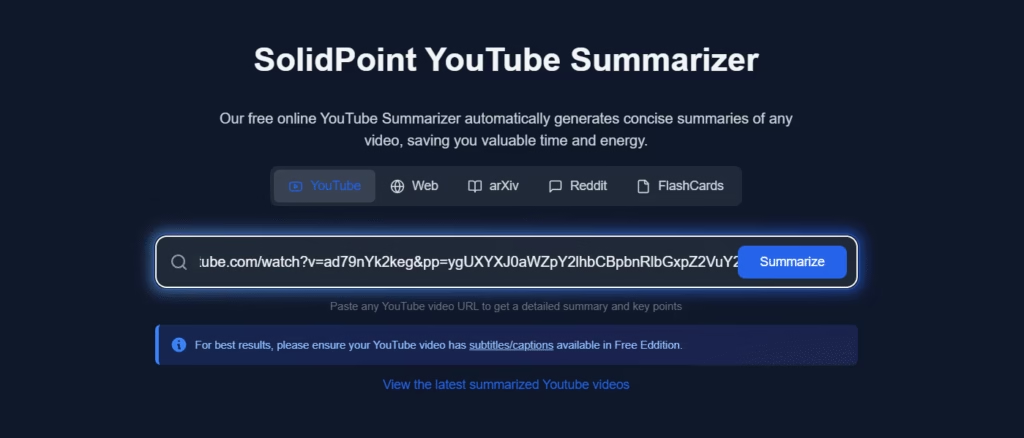
There’s no login prompt. No pop-up banners. No forced sign-up.
I like that. Too many tools demand your email before they show anything useful.
I pasted a 5-minute video on Artificial Intelligence basics from Simplilearn — the kind of video many students watch during exams or job prep. Something simple enough to test accuracy but layered enough to check how deeply the tool understands content.
Step 2: The Processing Screen
After clicking “Summarize,” the screen shifted into a blue-toned loading card.
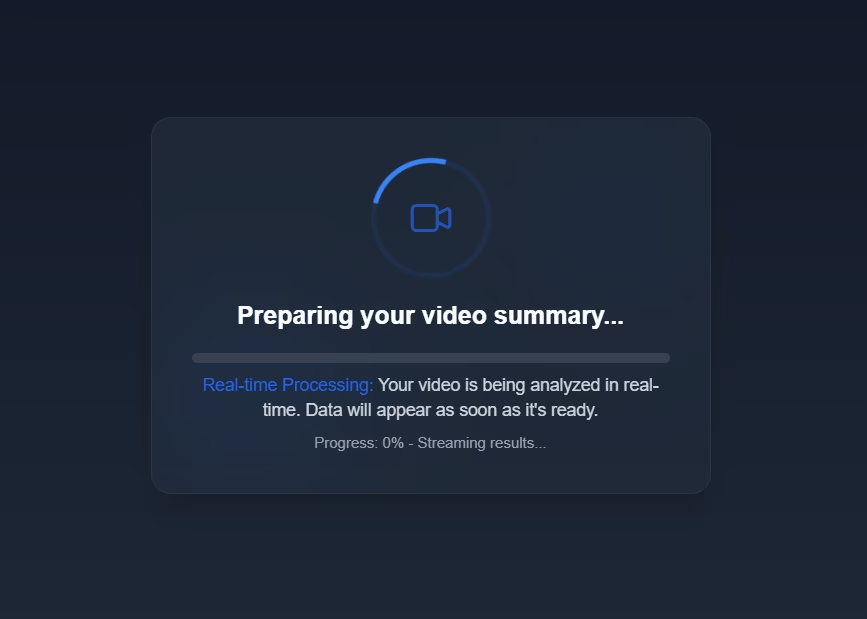
What surprised me was the small note saying the tool analyzes content in real time. Usually, summarization tools simply fetch captions and run them through a text compressor. Real-time processing at least suggests deeper analysis.
The processing took around 10 seconds. Enough to indicate something was happening, but fast enough not to irritate users.
You should also read this We Tried Krea AI and Here’s Our Honest Review
Step 3: The Summary Loads, And It Looks Surprisingly Organized
When the summary appeared, I expected a chunky paragraph. Instead, I got a structured layout:
- clear topic title
- video metadata
- summary section
- and navigation buttons
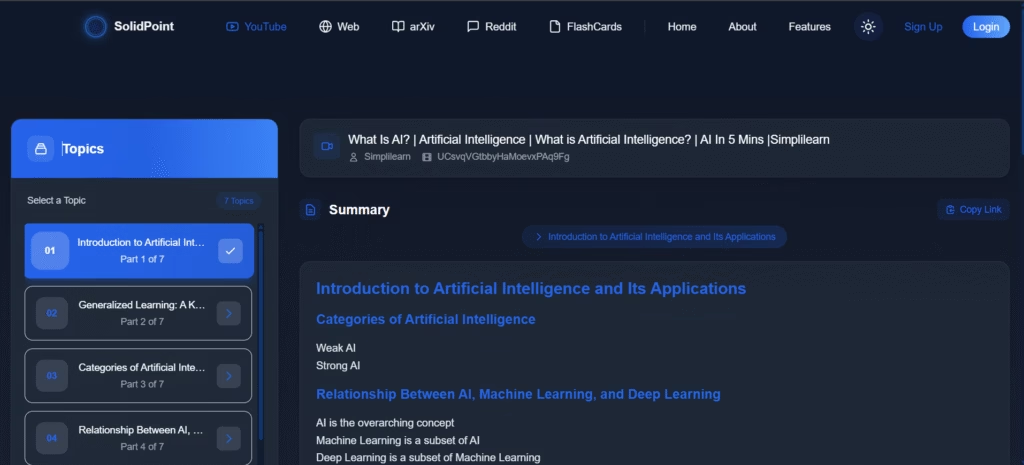
The content itself wasn’t robotic. It read somewhat like lecture notes—concise, academic, and well separated.
But the real magic came next.
Step 4: Topic Discovery, The Most Impressive Feature
The left panel suddenly populated with “Topics,” something I didn’t expect from a summarizer.
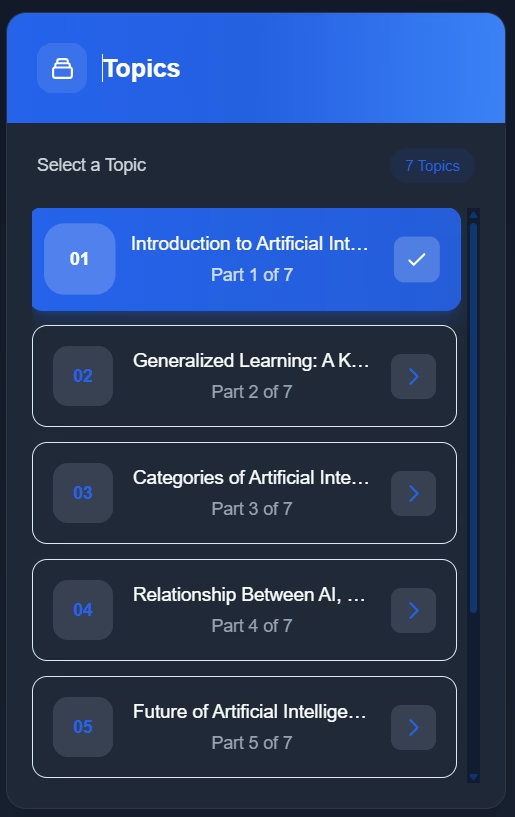
The video I used was only 5 minutes, yet the tool pulled out seven distinct themes, ranging from:
- Introduction to AI
- Types of AI
- Machine Learning vs AI
- Future Applications
This felt more like a digital version of a classroom whiteboard. You could click each topic and jump to its specific summary.
Most summarizers throw everything into one block. SolidPoint.ai breaks the video down like a teacher preparing notes for students.
This feature alone makes it stand out.
Read this review also Thumbnail AI Review: Create Stunning Thumbnails in Seconds
Step 5: Final Summary View: Clean, Copyable, Downloadable
Clicking any topic section reveals the detailed summary.
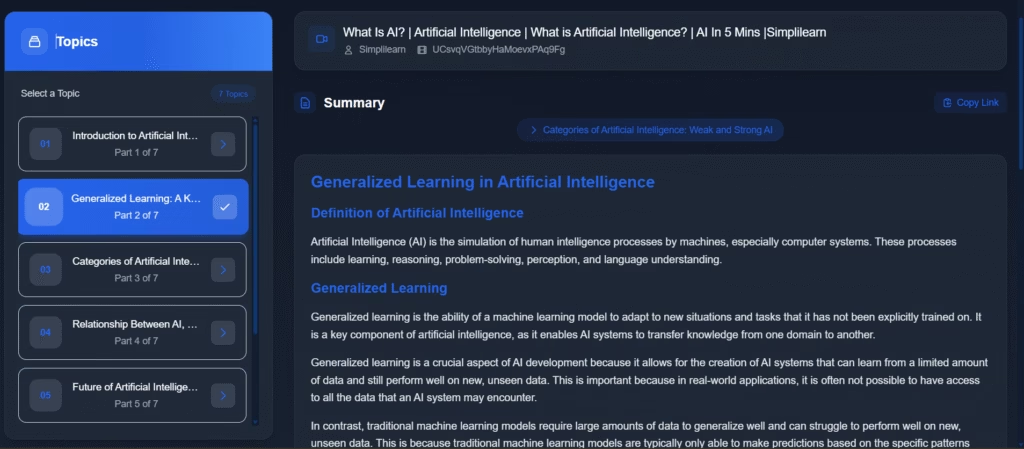
You can:
✔ Copy the text
✔ Download it
✔ Share the link
For students or researchers taking notes, this is gold.
How Accurate Is SolidPoint.ai? My Honest Experience
Accuracy is what separates a useful AI tool from a gimmick.
For my test video, SolidPoint.ai captured:
- the definitions
- the subcategories
- the relationships
- and the examples
It didn’t hallucinate. It didn’t skip important parts.
And it didn’t rewrite subtitles word-for-word.
It condensed the whole 5-minute video into ~250 words of meaningful explanation.
To test difficulty, I tried a longer AI conference talk. The tool did well again, although the topic segmentation sometimes created overlapping themes. Not perfect, but better than most summarizers I’ve tested.
Who Will Actually Benefit From SolidPoint.ai?
While testing different content types, I kept noticing who this tool naturally caters to.
It’s not just students, though they benefit the most.
SolidPoint.ai fits well into the life of anyone who consumes or analyses information:
- students preparing for exams or learning online
- researchers scanning multiple papers
- content creators and bloggers gathering references
- journalists extracting key points from interviews
- competitive exam aspirants who rely heavily on YouTube lessons
- professionals who attend video-based training sessions
In essence, if you learn from videos, discussions, papers, or long articles, SolidPoint.ai quietly slides into your workflow.
My Honest Likes and Dislikes After Testing
What I Genuinely Liked
The first thing that struck me was the clean, calm interface. Nothing feels overwhelming.
But the true standout is the topic breakdown, the way it reconstructs a video into clear thematic sections. The summaries themselves are readable and structured, not robotic.
I also appreciated that there was no forced sign-up, and that the tool handled multiple content types without struggling. On educational content especially, the accuracy felt surprisingly reliable.
What Didn’t Impress Me Much
It isn’t perfect.
Videos without captions aren’t supported in free mode, which limits older or niche content.
The dark UI may feel heavy for some users.
There’s no Chrome extension yet, which would make the workflow smoother.
And sometimes, the topic segmentation can get a bit too enthusiastic, splitting similar ideas too finely.
None of these issues break the tool, but they’re visible when you use it for hours like I did.
Is SolidPoint.ai Worth Using? My Final Impression
After spending a good amount of time on the platform, my honest takeaway is simple:
Yes — if you care about understanding content rather than skimming it.
Most summarizers condense information into bullet points and call it a day.
SolidPoint.ai does something different: it tries to organize the information so it makes sense.
Its topic discovery feature alone places it above tools like Eightify or Glasp in terms of clarity.
It doesn’t replace videos — and realistically, no summarizer should.
But it shortens the time you need to make sense of videos, papers, and discussions.
For students, researchers, or anyone who lives inside YouTube tutorials and long-form content, SolidPoint.ai feels like having a personal note-taker — someone who watches the content before you, highlights the essentials, and hands you a clean, structured summary.
FAQs About SolidPoint.ai
1. What is SolidPoint.ai used for?
SolidPoint.ai is an AI-powered summarization tool that condenses long YouTube videos, articles, Reddit threads, and research papers into clear, structured summaries to help you understand key ideas quickly.
2. Does SolidPoint.ai require captions to summarize YouTube videos?
Yes, the free version depends on YouTube captions. If captions are missing or inaccurate, the summary quality may be affected.
3. Is SolidPoint.ai free to use?
It offers a free tier for basic summarization, but longer videos, faster processing, and advanced features may require a paid upgrade.
4. How accurate are SolidPoint.ai summaries?
Accuracy is strong for educational and informational videos. The tool doesn’t just shorten text—it reorganizes concepts, making summaries feel more like structured notes than compressed transcripts.






[…] You should read this also Why SolidPoint.ai Might Be the Most Helpful Study Tool I’ve Tried […]